Pressbooks Tutorial, “Booky McBookface”
Single-Sentence Summary
I created a single-session learning experience that breezily introduces accessible writing and editing in Pressbooks, conducting each session as as a “digital icebreaker” to help minimize the potential anxiety of authentic learning alongside peers and accommodate asynchronous participation.
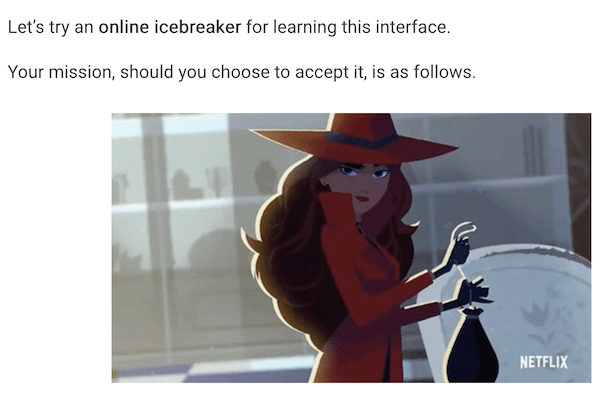
Project Details
Brief History
I initially designed this tutorial for students in Liza Long’s English 211: Literary Analysis course. Realizing that the experience went well due to a sense of playful experimentation, I named it with a nod to the submarine Boaty McBoatface. Soon after, I began offering this learning experience to faculty and staff at the College of Western Idaho, then to those at other Idaho institutions.
Building on their feedback and my observations of what could be improved, I revised elements of the tutorial. I also added explanatory content for tutorial facilitators and chapters with example participant names.
Then I published the tutorial with a Creative Commons license. This license ensures that the tutorial can be used by anyone with institutional or personal access to a Pressbooks environment.
Scenario
Liza Long, then a professor at the College of Western Idaho, was beginning to create an open educational resource on literary analysis with students in her English 211, Literary Analysis course. She had previously done similar “renewable assignments” in a different digital platform, and wanted her student groups to write directly in the Pressbooks environment.
Analysis
Learner Analysis
First I analyzed what the ENGL 211 students would likely be able to do. Although they almost certainly would never have used Pressbooks itself, that platform was based off of Wordpress. Thus, Pressbooks’s rich text environment shares its design and behavior with many of the most frequently-used tools on the web.
Second, I analyzed what harms students could do. The permissions they’d receive in Pressbooks would only let each individual student write, alter, or delete what they themselves wrote. Therefore, it wasn’t necessary to warn them about their responsibility to other authors or to get into the features available to user roles beyond author, such as editor or administrator features that professors or staff might have.
Third, I considered things that learners would likely want to avoid, particularly in terms of how they might be perceived by others. I hoped that students would feel comfortable asking for help. But I also know that asking for help requires some combination of confidence, trust, and comfort. I wanted the design to bolster learner confidence while also minimizing any potential anxiety about how they, their ideas, or their writing might be perceived. (Although I designed this tutorial initially for students, I quickly recognized that professors and staff have similar sets of anxieties when writing content that they’d soon share with professional peers that they might only be meeting for the first time!)
Learning Tasks Analysis
I brainstormed the main features that authors in Pressbooks were likely to need for their chapters. They’d likely need to add titles, styles, and links—all ideally in accessible ways, as there was no guarantee that another person would be able to audit their work for accessibility afterwards.
The authors would also want to preview their work, and know how to undo any accidental edits or lost work.
I deliberated for quite a while about whether adding images was an appropriate task for this tutorial. Ultimately, I chose to leave images out. Knowing the session’s time constraints, I didn’t want to accidentally encourage learners to spend excessive time searching for the “right” image online. I also knew that introducing images would also mean introducing the necessity of writing sufficient alt-text, and that it would invite technical questions about image formats and resolution, not to mention copyright and usage permissions. Realizing that image use invokes such a substantial bundle of technical and legal concerns, I chose to leave those questions for follow-up emails or additional contact. This instruction needs to provide an authentic experience that bolsters confidence, not a set of lectures that induces “analysis paralysis”.
Content Design
With this combination of very high likely familiarity, very low likely technical consequences, and concern for probable anxiety, I designed the instruction for learners to “jump in the pool” as soon as possible while also giving the content a welcoming tone and minimizing the expectation that their writing would be “academic”.
Before the session, I created a separate “chapter” for each participant, giving it their name and giving them editing permissions for just that single section. Then I wrote instructions that invite students to write a minimal bit of content about whatever they wanted to share about as their icebreaker, plus steps for how to accomplish the tasks I’d identified.
Evaluation
I held additional sessions with students, professors, and staff from CWI and other Idaho institutions over another year after that initial training with Liza’s ENGL 212 students.
The fun we had in these sessions made it clear that the tone helped allay any potential anxieties. I could see from the work participants accomplished during the sessions that the instructions themselves were working, as well as from the appreciative emails and occasional follow-up questions.
In the spirit of continual improvement, I did realize there were things that could be refined before publishing this resource to be used more widely in 2022.
By far, the most repeated question during the sessions concerned Pressbook’s terminology of “parts” and “chapters”; these terms make sense once you realize that while what we wrote during the sessions was quite brief, but that Pressbooks was created for content that would easily span multiple pieces of paper when printed. While initially writing, participants almost inevitably referred to their work-in-progress as a “page” (as in “web page”). So to help explain that when viewed online, a “chapter” appears as a single scrollable page and a “part” can create a collection of these “chapters”, I created Part One, A Demonstration of How Parts Relate to Chapters.
Aiming to make the published version as handy as possible, I went ahead and made a few additional “Parts” with made-up student names. These will save the facilitators a bit of time, as well help reinforce the Pressbooks’ ability to have “Part” and “Chapter” segments. I also wrote some more explanatory content for facilitators.
Finally, I aimed to demonstrate best practices for OER by providing a version history and trying to communicate its scope with something I called the 5Ps of This Work. I also chose a CC-BY 4.0 (Attribution) license, as I’d be thrilled for this tutorial to be widely used by others and would would like my prior work to be acknowledged.
Kudos
Did you enjoy this? Let me know: